

REFEREE REPORTS: USSF Referee Report & USSF SUPPLEMENTAL REPORT
Arkansas Soccer Association uses Assignr for referee assignments and PlayMetrics for game-day scoring and reports.
After the match, referees can use the PlayMetrics Game Scoring Assistant to:
- Confirm participating players
- Submit the final score
- Report cautions, send-offs, and other infractions
- Record infractions involving players or team staff
Accessing the Game Report
On the day of the game, open your assignment in Assignr.
A link to the PlayMetrics game report will be available in the game notes. Select the link to open the Game Scoring Assistant.
The Game Scoring Assistant may also be accessed by scanning the QR code located on the game card.
You do not need a PlayMetrics account to complete the report. You will only need the game-report link or QR code and the competition access code, when required.
Important: The Game Scoring Assistant cannot be accessed before the scheduled day of the game.
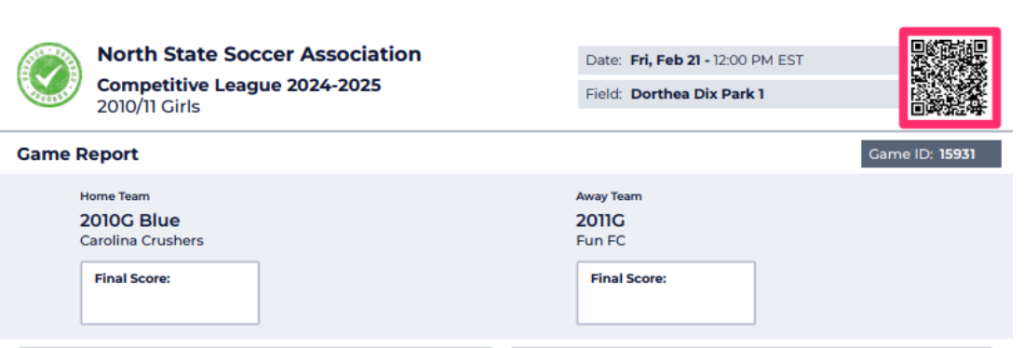
A team administrator may also display the game card from a phone by opening the game details, selecting the three-dot menu in the upper-right corner, and choosing View Game Card.
Checking In Players
Before the game, review the participating players for each team.
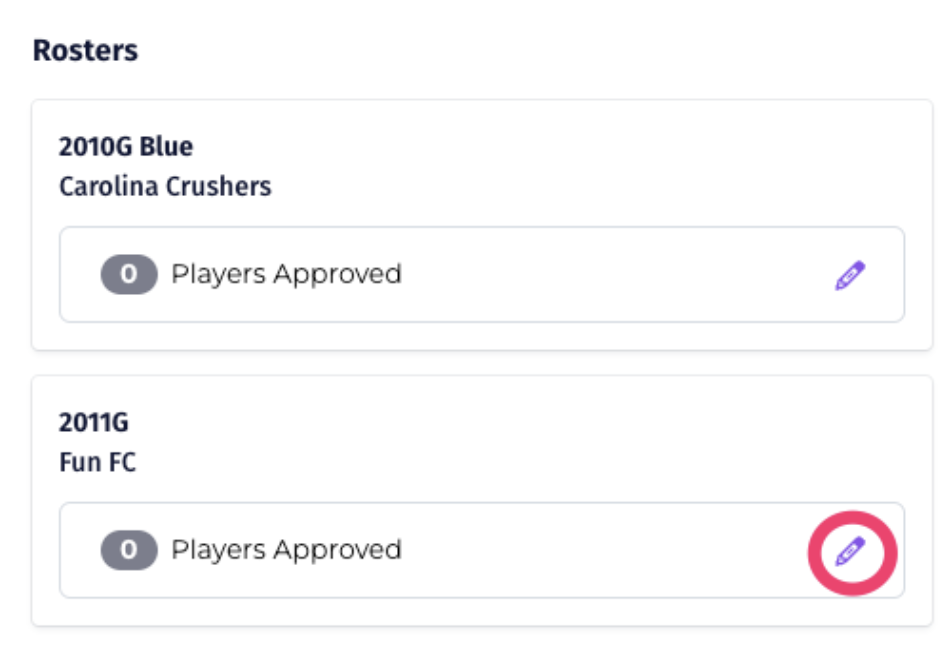
- Select the pencil icon next to the appropriate team.
- Open the team roster.
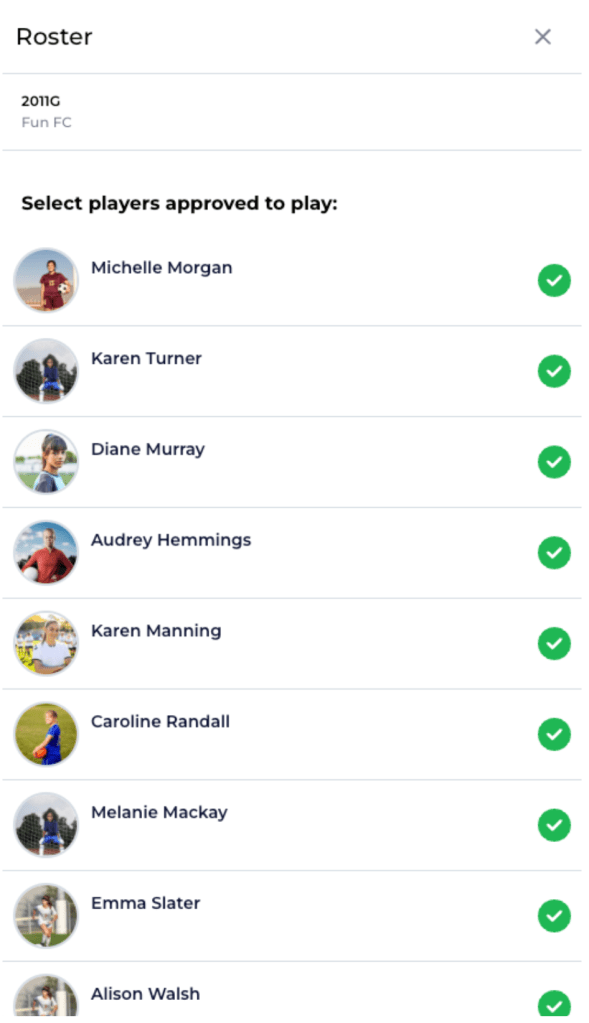
- Select the players who are approved and participating in the match.
- Save the player check-in information.
Only players who appear on the approved game roster and are eligible for the match should be checked in.
Submitting the Final Score
After the game:
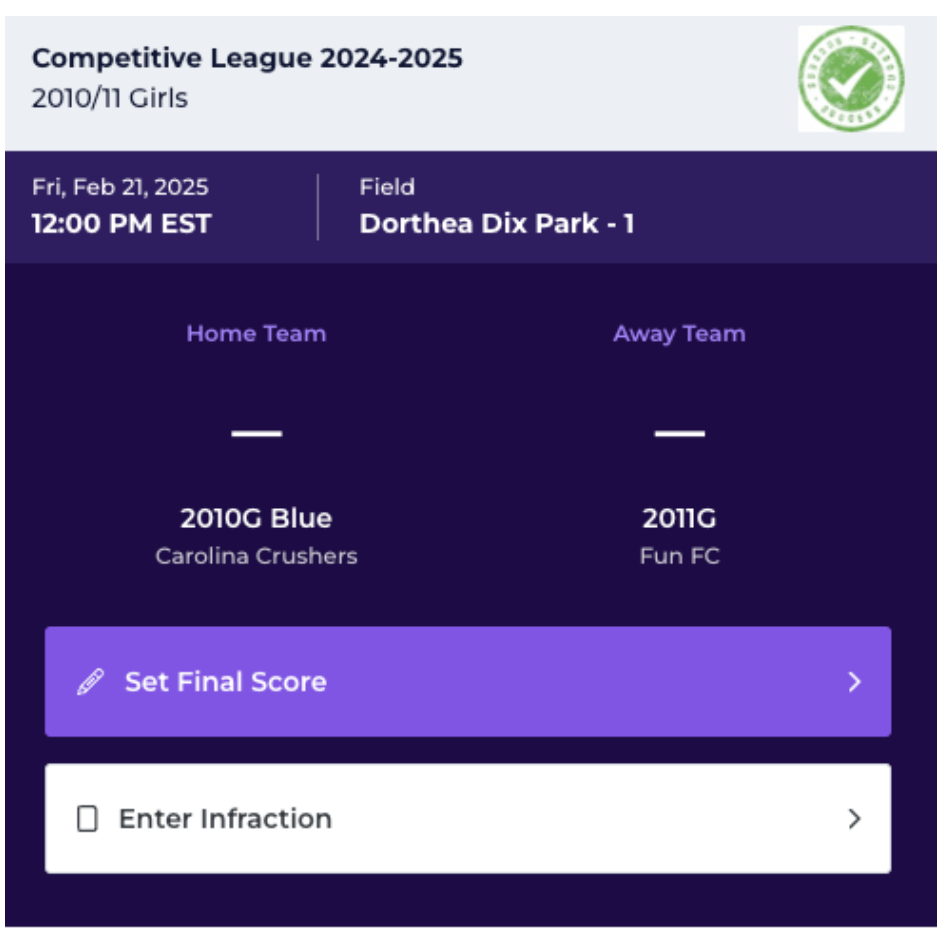
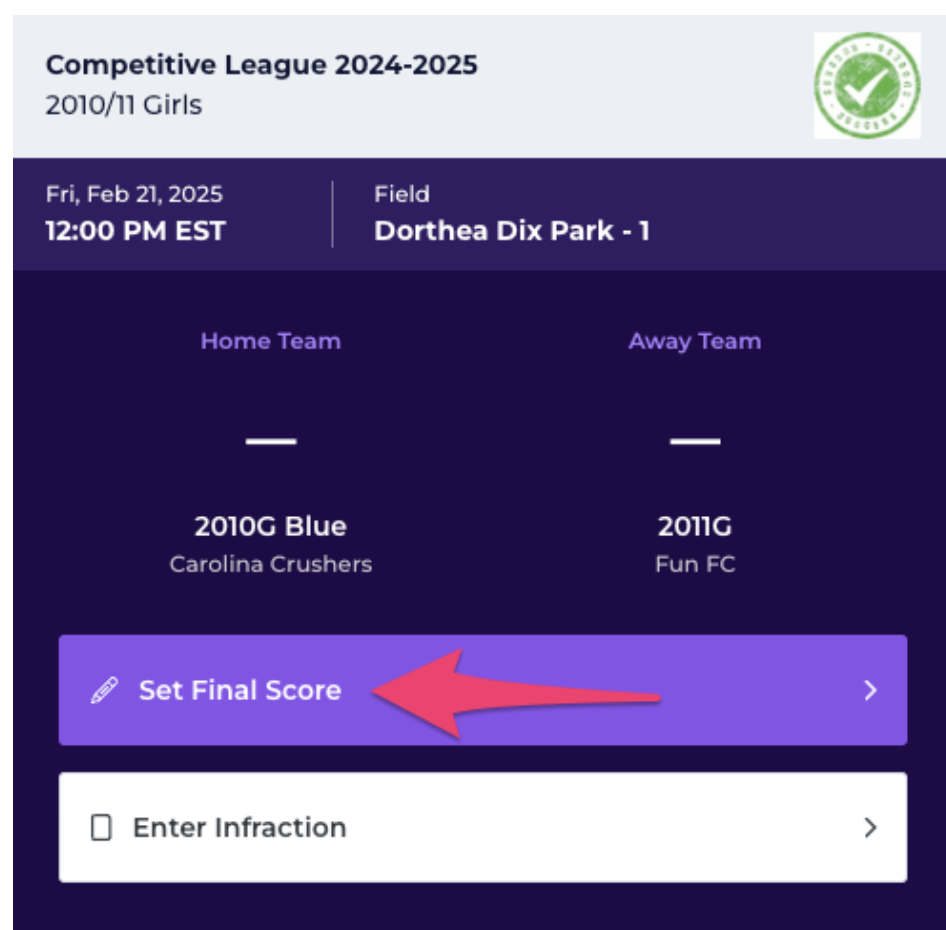
- Select Set Final Score.
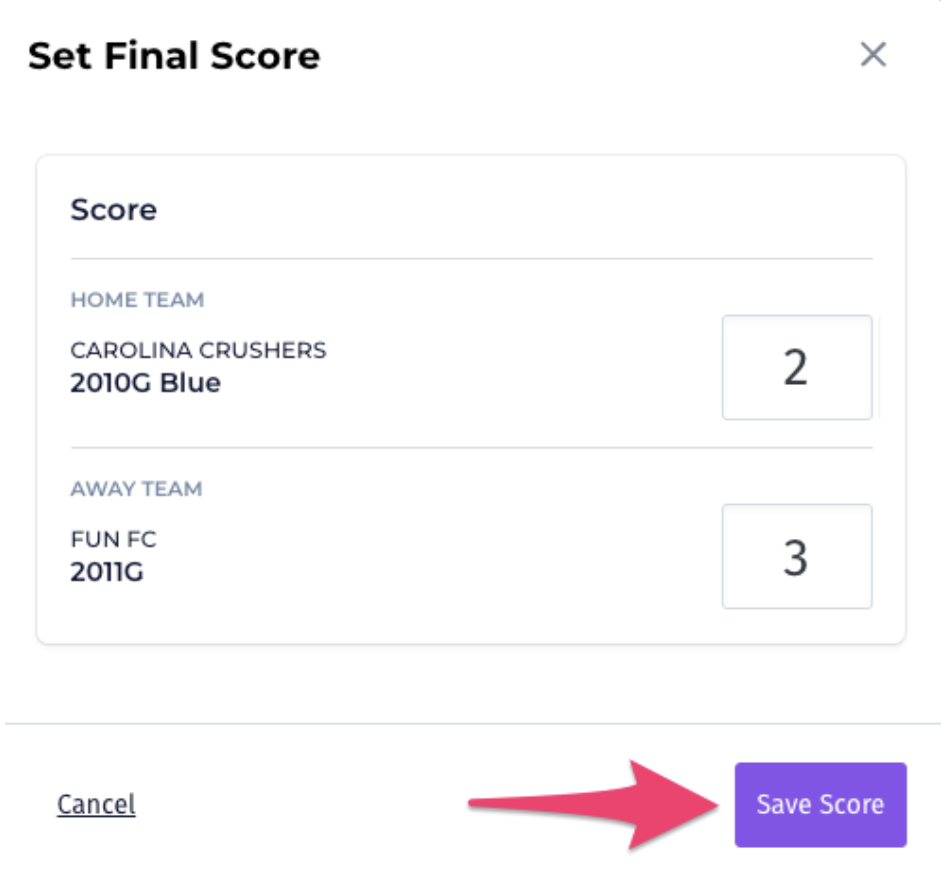
- Enter the score for each team.
- Review the score for accuracy.
- Select Save Score.
Once saved, the score will be recorded as the official result for the match.
Before Leaving the Field
The referee crew should confirm that the following have been completed:
- Participating players were properly checked in
- The final score is correct
- All cautions and send-offs were recorded
- Any required incident details were entered
- The report was successfully submitted
The referee should retain personal game notes in case additional information is requested by Arkansas Soccer.
Need Assistance?
For questions about a referee assignment or information appearing in Assignr, contact your referee assignor.